 fregatte.de
Play now
fregatte.de
Play now
Guide
fregatte.de is a multiplayer naval game in your browser. You command a frigate in the western Baltic – between Kiel, Copenhagen and Bornholm. All players share one sea area, and everything happens in real time. Most importantly: you see the world only through your own sensors – radar, AIS and bearings. What your sensors do not pick up, you do not see.
Click a picture to open it in full size.
1. Getting started
No sign-up needed: open the page and you play straight away as a guest. On the left is the welcome box with live figures, in the middle the chart with every ship currently sending AIS.
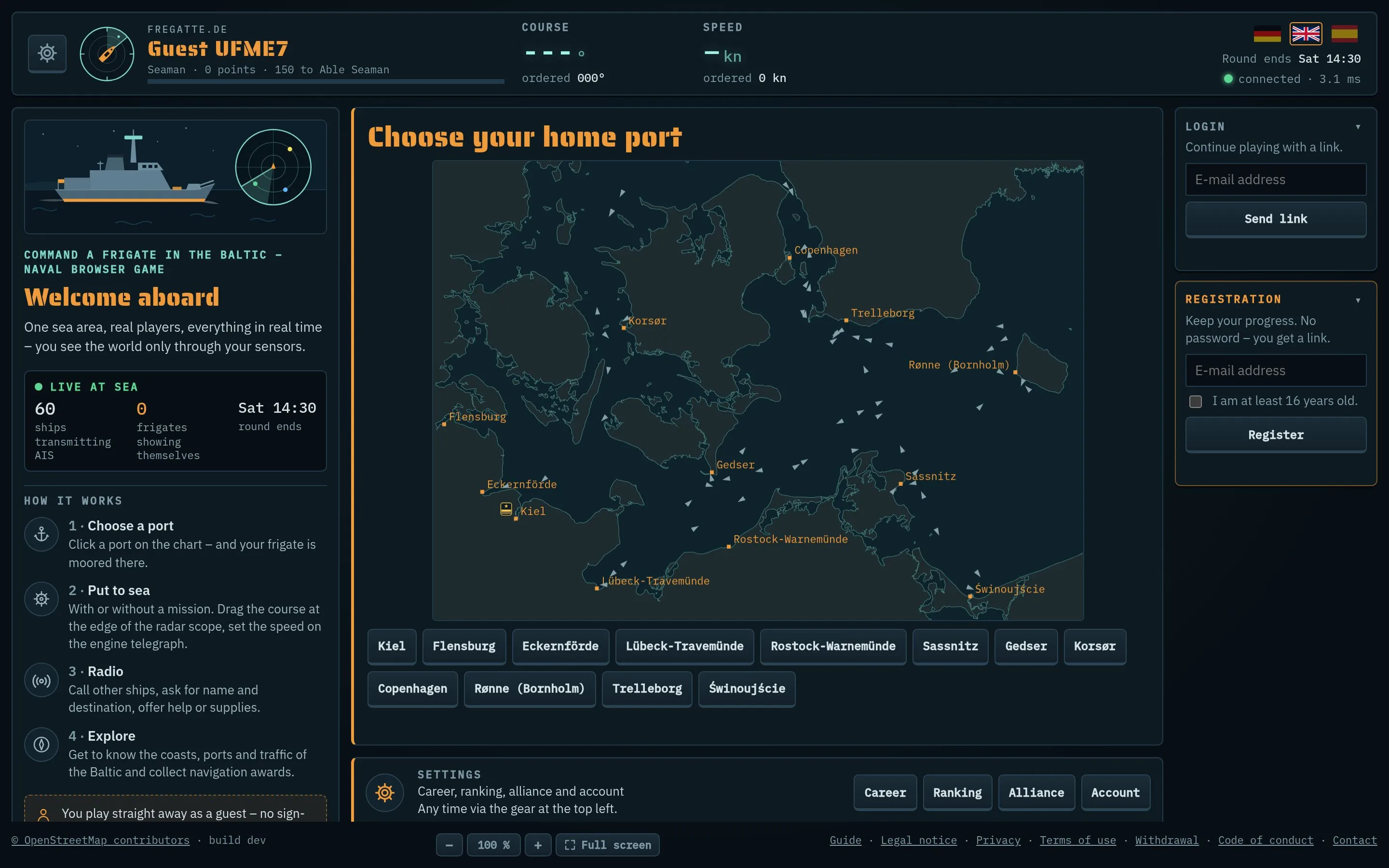
- Choose a home port: on the chart or in the list below the chart.
- Registration (right): with your email address, no password – you receive a link. Registered accounts keep their progress on every device and may send free text on the radio and join alliances. You confirm that you are at least 16 years old.
- Login: if you already have a registered account, request a sign-in link here.
2. In port
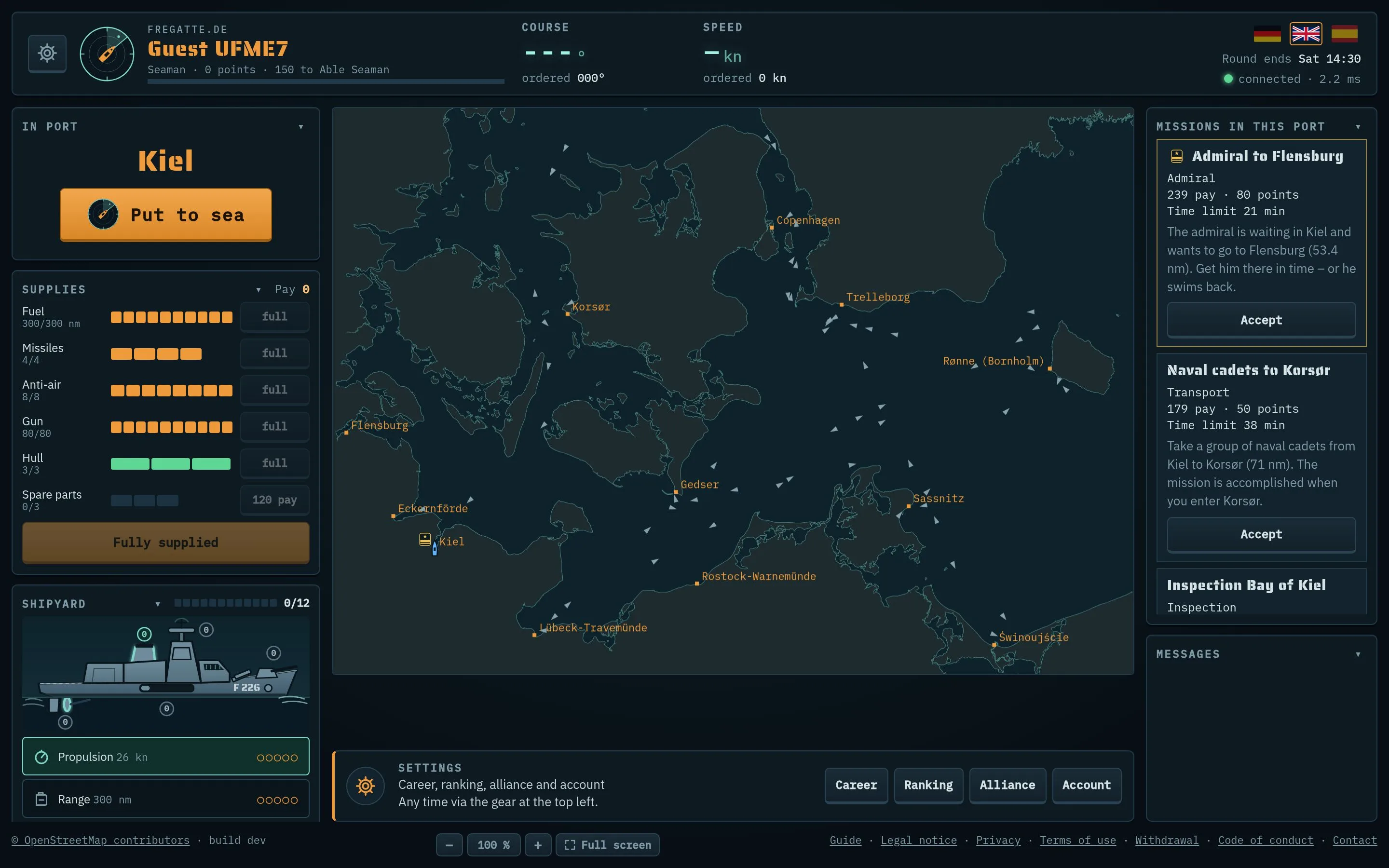
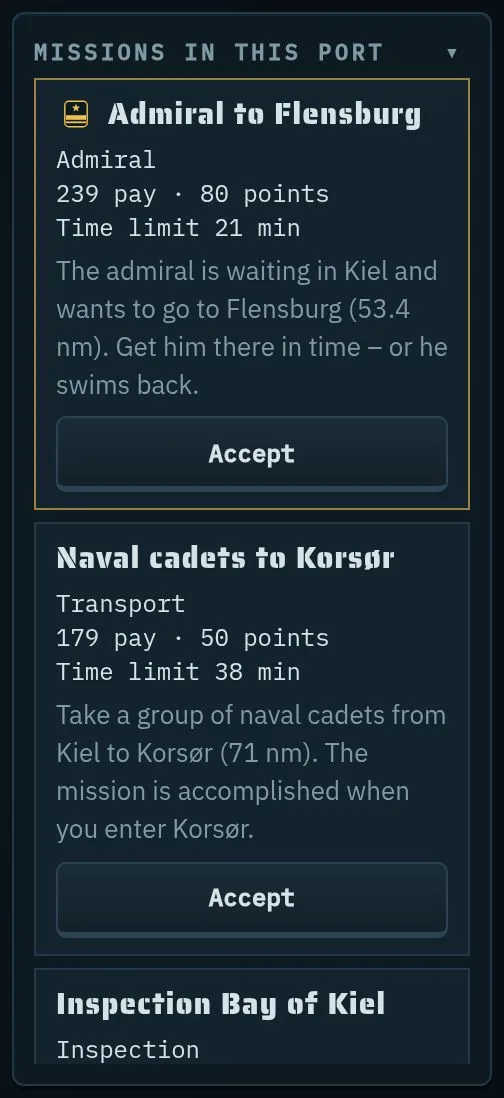
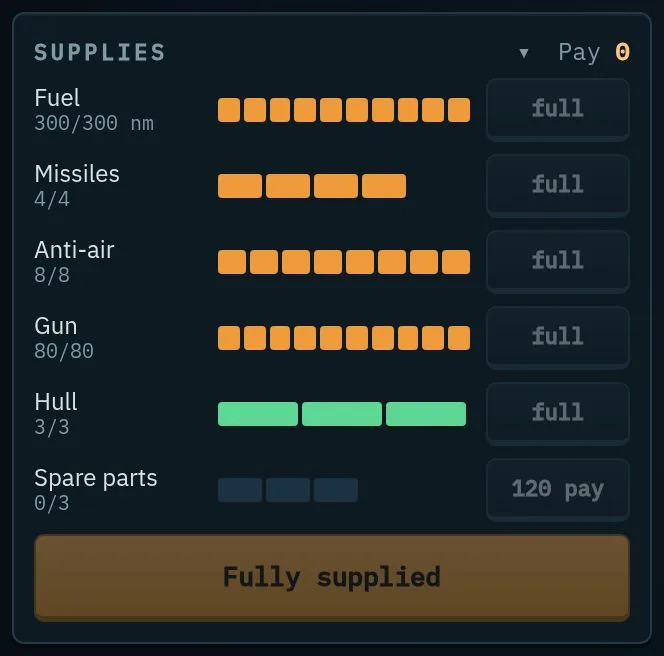
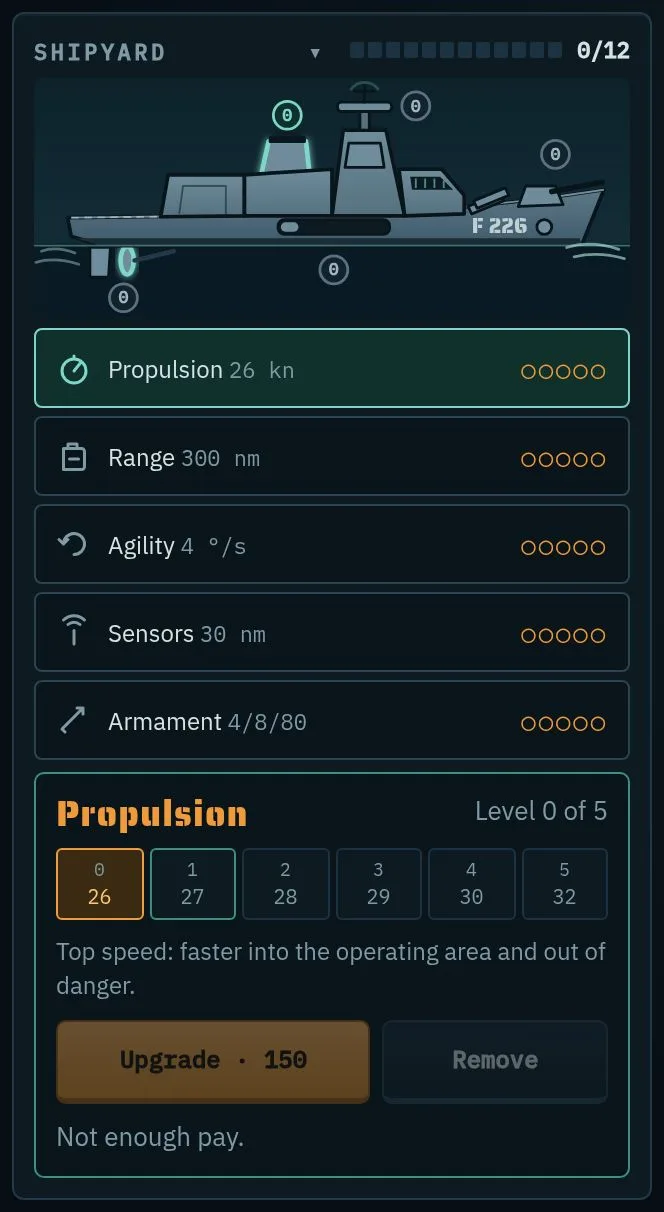
Put to sea casts off. You earn pay with missions; in port you are protected.
3. The console at sea
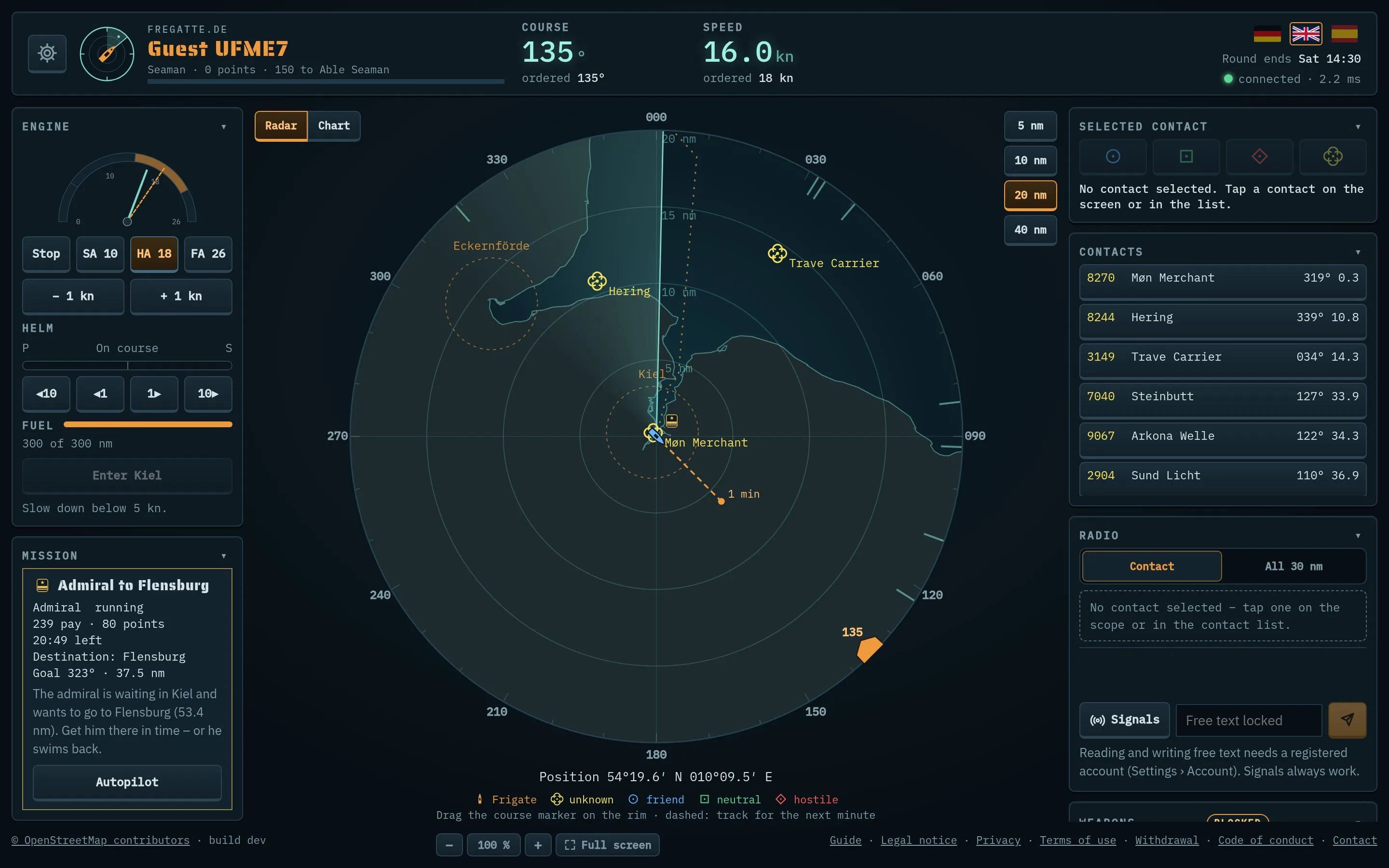
- Header: gear (settings), your ship and rank, actual and ordered course and speed, language, end of round, connection.
- Collapsing boxes: every box has a ▾ on the right of its title bar – your browser remembers what is collapsed.
- Messages (bottom left): everything that happens – new contacts, radio, hits, missions.
4. Sailing: engine, helm, voice commands
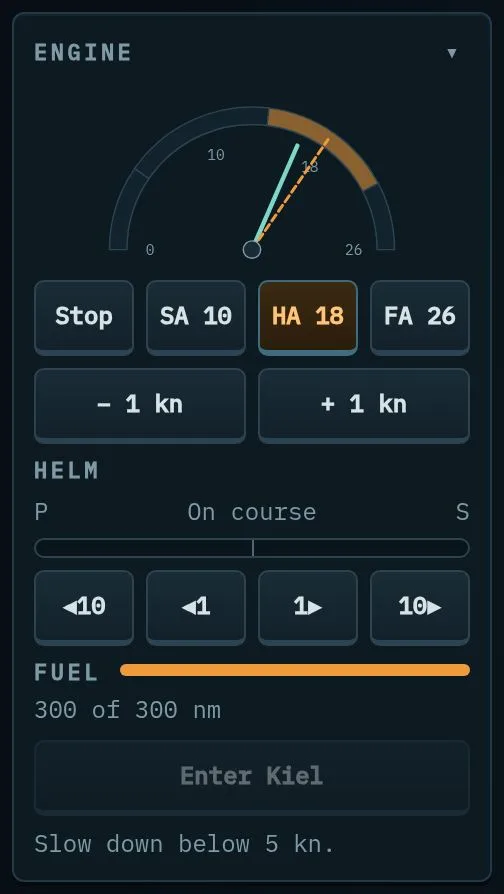
- Speed: Stop, SA (slow ahead), HA (half ahead), FA (full ahead) or in 1-knot steps. The ship speeds up and slows down gradually.
- Course: drag or tap on the outer degree ring of the radar; or use the helm buttons ◀10 ◀1 1▶ 10▶.
- Fuel: the bar shows the remaining range in nautical miles. With an empty tank you make at most 3 kn and cannot fire.
- Entering port: inside the port zone (3 nm around the port) slow below 5 kn, then “Enter port”.
Time runs fast: one real second is 20 seconds at sea.
Voice commands

You can also order course and speed by voice. Under Settings › Account switch on “Voice commands for course and speed”. The first time, your browser loads about 45 MB once and asks for the microphone. A “Speak (V)” button then appears below the helm: hold it or the V key and speak.
- Course: “New course zero nine zero” or “Course two seven zero”.
- Speed: “Go to fifteen knots” (up to your ship’s top speed).
- Stop: “All stop”.
Commands follow the language of the interface. Recognition runs only in your browser; nothing is sent. Anything not understood is discarded.
5. Sensors: radar, AIS, RAS
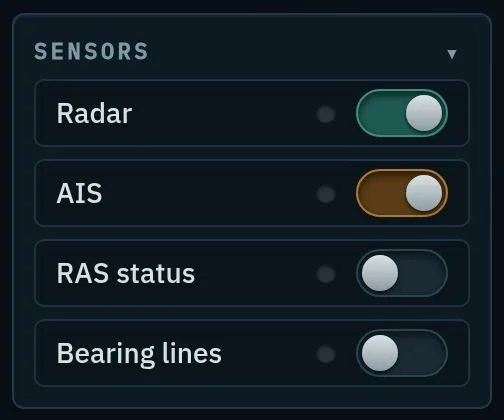
- Radar: shows ships in range when the beam sweeps over them. But an active radar gives you away – others see your emission as a bearing.
- AIS on: you send your name and position to everyone within 40 nm – and in return you cannot be attacked by other players. You cannot fire either. AIS off means ready for combat. Switching takes 30 s; after combat AIS can only be switched on again 60 s later.
- Careful: enemies of a mission you or your alliance accepted attack even with AIS on.
- RAS status: ready for replenishment at sea (see chapter 16).
- Bearing lines: shows other ships’ radar as a long line even while your own radar is on, instead of a short mark at the rim (see chapter 7).
6. Reading the radar
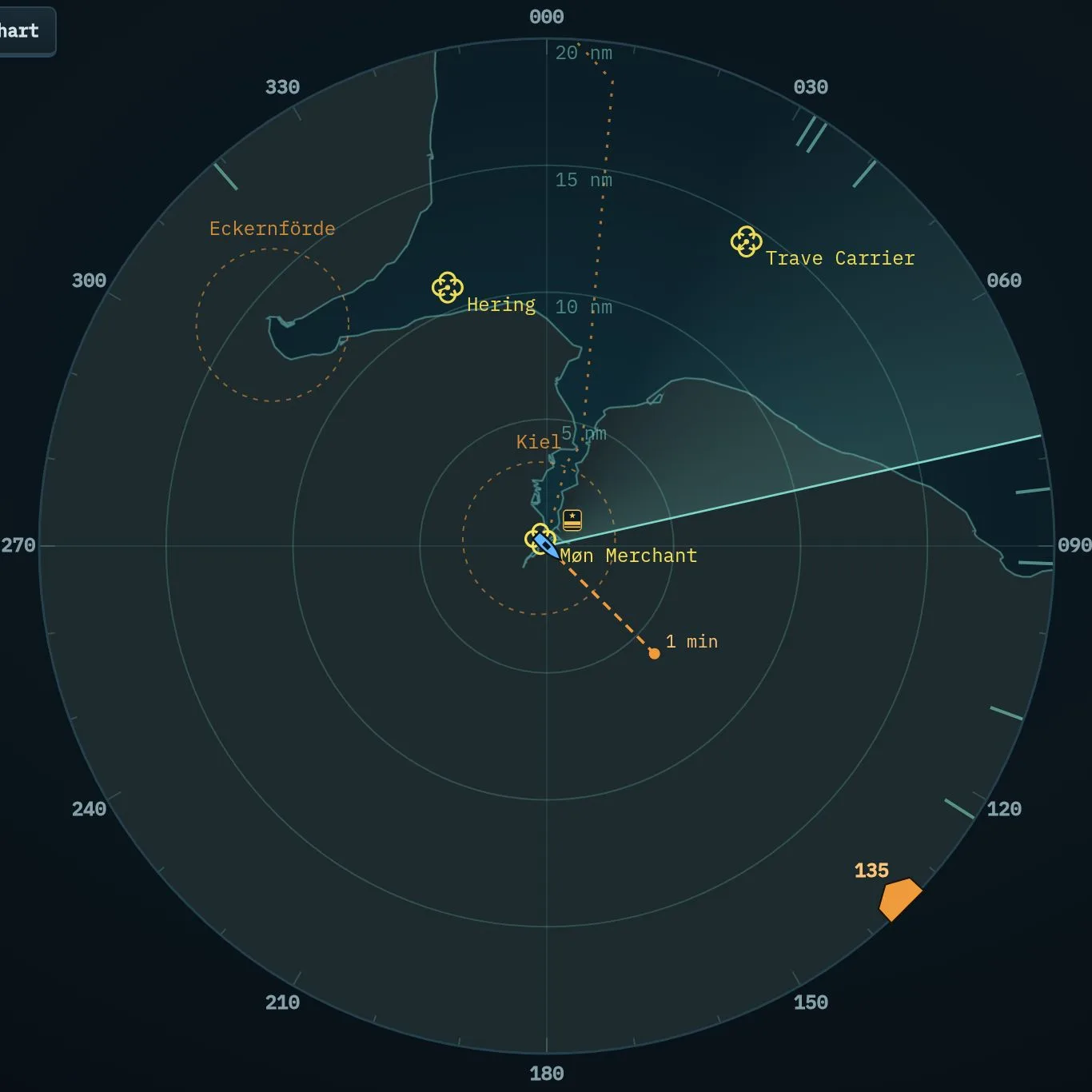
- Range: 5, 10, 20 or 40 nm with the buttons at the top right.
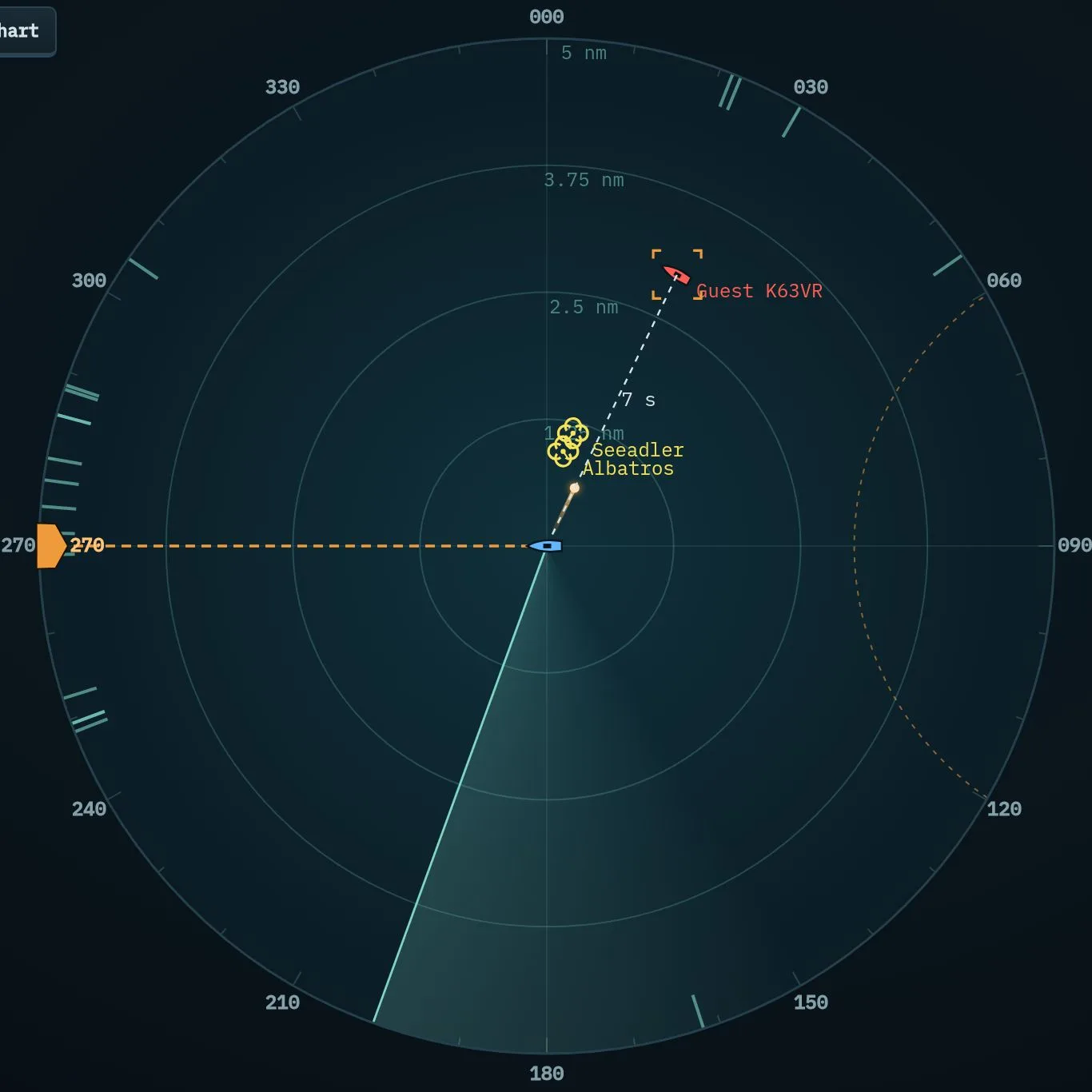
- Symbols: frigates as a small boat, other ships by classification: unknown (yellow), friend (blue), neutral (green), hostile (red).
- Names: if a name is known (AIS, alliance) it is shown next to the symbol, otherwise the contact number. A contact not detected for 60 s is dropped and gets a new number next time.
- Orange course marker at the rim: the ordered course; the blue marker shows the actual one. Dashed: where you will be in one minute.
- CPA: for the selected contact a line shows the closest point of approach if it comes within 5 nm – red below 1 nm.
- Light dot at the top left of a merchant ship: it is giving way (slowing down and turning 20°). Visible only with a fresh radar paint, not via AIS.
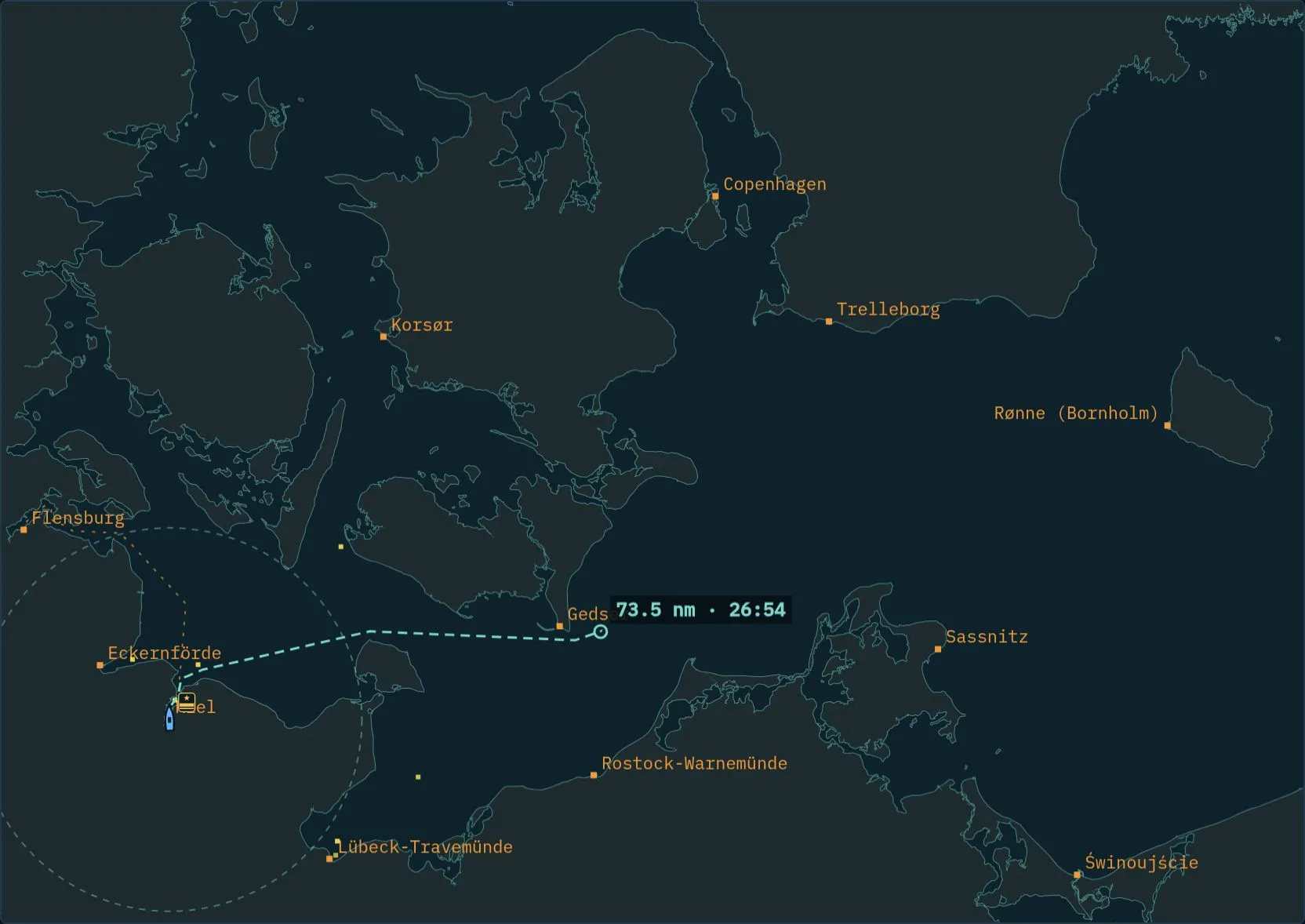
- Ports with their 3 nm zone as a dashed circle.
7. Running passive: bearings
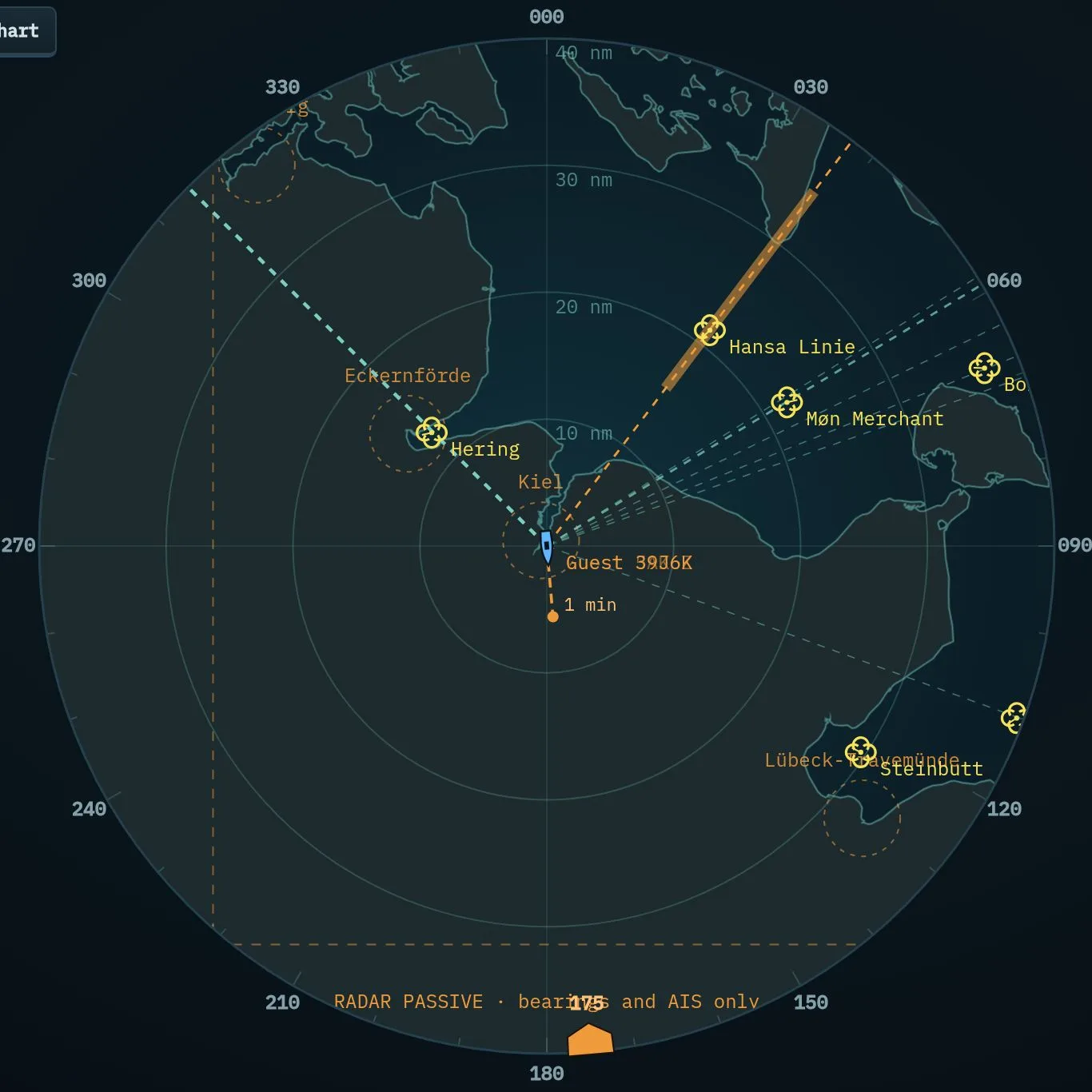
With the radar off the scope reads “RADAR PASSIVE”. You then see only ships with AIS, your alliance’s picture and bearings: lines pointing to where another ship’s radar or a radio call comes from. Your own radar does not give you away – but you cannot fire.
- Signal strength: a bearing tells you no range, but the line gets wider and brighter with signal strength: strong below 15 nm, medium below 35 nm, weak beyond.
- Kind: radio shows as dash-dot. From sensors level 2 (shipyard) the dash also shows the kind of radar: dots for navigation radar, long dashes for search radar, solid red for fire-control radar. Below that level every radar looks the same, short-dashed.
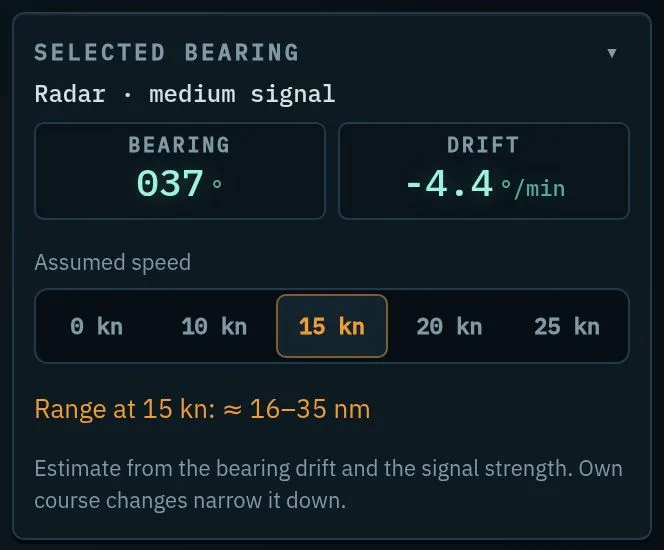
- Estimating range: tap a line. The “Selected bearing” box shows the change in bearing per minute. Pick a speed under “Assumed speed” (0–25 kn): after 15 s the matching range appears, and on the line as a coloured band. Change your own course and the estimate gets tighter. With the radar on, ordinary bearings are only a short mark at the scope rim – tap that mark.
8. Selecting and classifying contacts
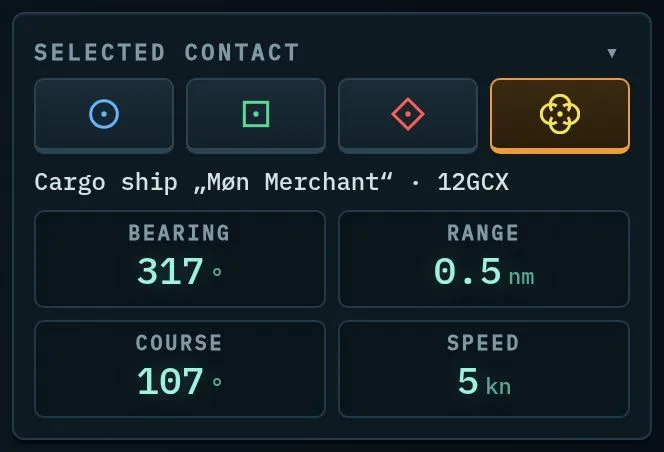
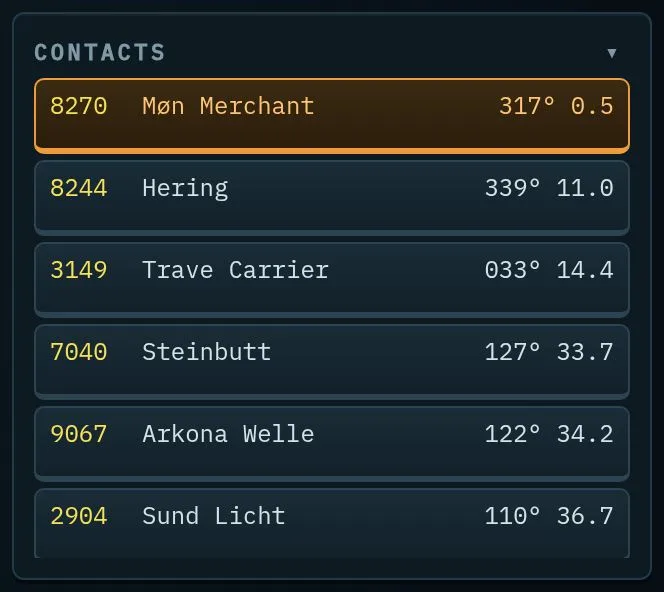
Tap a contact on the radar or in the list. The four buttons classify it as friend, neutral, hostile or unknown. You can only fire at contacts you have classified as hostile. AIS tells you who a ship is – or ask on the radio with “Name and destination?”.
COLREG help
Below the selected contact, the COLREG help (switch in the box) shows what the rules of the road ask of you: the situation (head-on, crossing from starboard or port, overtaking, fishing vessel) and, while the CPA is under 1 nm, your role – “you give way” or “you stand on” – with the rule number, the CPA and whether the bearing is steady. If you have to give way, it suggests the smallest course change to starboard and a lower speed that open the CPA to 1 nm; tap one to order it.
If the CPA is under 1 nm, the degree ring changes colour: red and amber for the courses that take you too close, green for clear ones, grey dashed for those against the rules (to port). Drag the course marker and dashed lines show the CPA of the new course. Giving way when you must avoids navigation points (chapter 18). For contacts you have classified hostile the COLREG help is off: you select them for the weapons.
9. Chart and route preview
10. Missions and autopilot
Every port offers five missions. The main kinds:
- Reconnaissance: find a particular ship in the area, query its identity by radio (name and destination), observe it through binoculars from 5 nm or closer and classify it as neutral. It then sails on to its destination.
- Inspection: stop a ship with the “Stop!” signal and go alongside.
- Search and rescue: sail to the scene and slow down there – the faster you arrive, the more you are paid.
- Convoy escort: bring two merchant ships safely to another port. Fast gunboats attack on the way: they fire only at 6 nm, circle the convoy and stop nearly every missile – use the gun. Whoever is closer to them than the merchant ships is fired on. Fire on your convoy shows as a red tracer; the log reports hits.
- Combat mission: take out one to three enemy units.
- Surveillance: stay in the area for 15 minutes in total – with radar and AIS off. Patrols spot you within 5 nm, and from far away if your radar or AIS is on. They do not notice what you send inside a port zone: switch radar and AIS off after putting to sea.
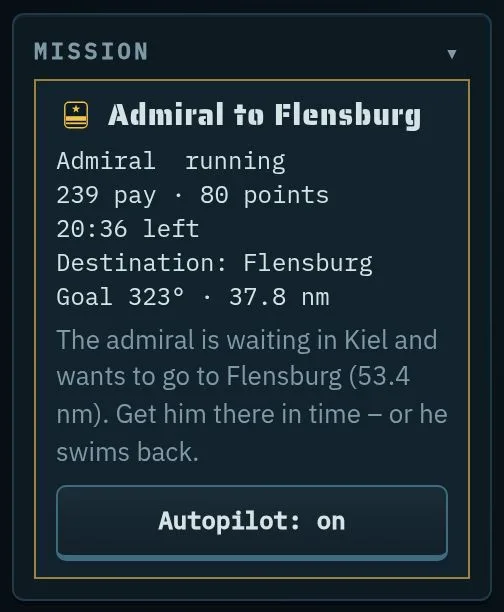
- Transport: naval cadets, ammunition or the admiral to another port.
- Alliance mission: can only be done together.
- Autopilot sets course and speed itself, slows down in turns and before the destination, and stops there. While it is on (“Autopilot: on”) it overrides your course orders – switch it off to steer by hand.
- A mission without a route shows “Steer there” instead; close finished missions with “Close”.
- On the last Saturday of a round there are no new missions after 14:00.
Major sea rescue
Every few hours control reports: “Ferry sunk!” Ten minutes ahead the area appears as an orange dashed circle on the scope and the sea chart, and the incident heads the mission list with “Autopilot”. Nothing to accept – anyone at sea can help. Twelve life rafts drift in the area; radar shows them only within 2 nm. To recover one, close to 0.2 nm and stay below 3 kn for 10 s: 40 pay per raft, a quarter more with an alliance partner nearby. If all rafts are recovered within the 45 minutes, everyone who helped gets another 150 pay – together it goes faster.
11. The admiral
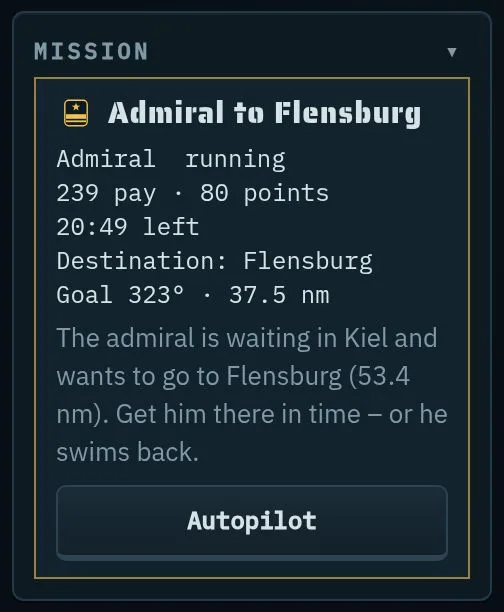
There is exactly one admiral per round. He starts in Kiel and waits in a port, shown on every chart as a shoulder board. Whoever is moored there can take him aboard as the mission “Admiral to …” and bring him to the destination – where he waits for the next player. Whoever delivered him must wait until someone else takes him on. Too late or sunk? Then he swims back, and the award “Admiral’s driver” drops by one.
12. Radio
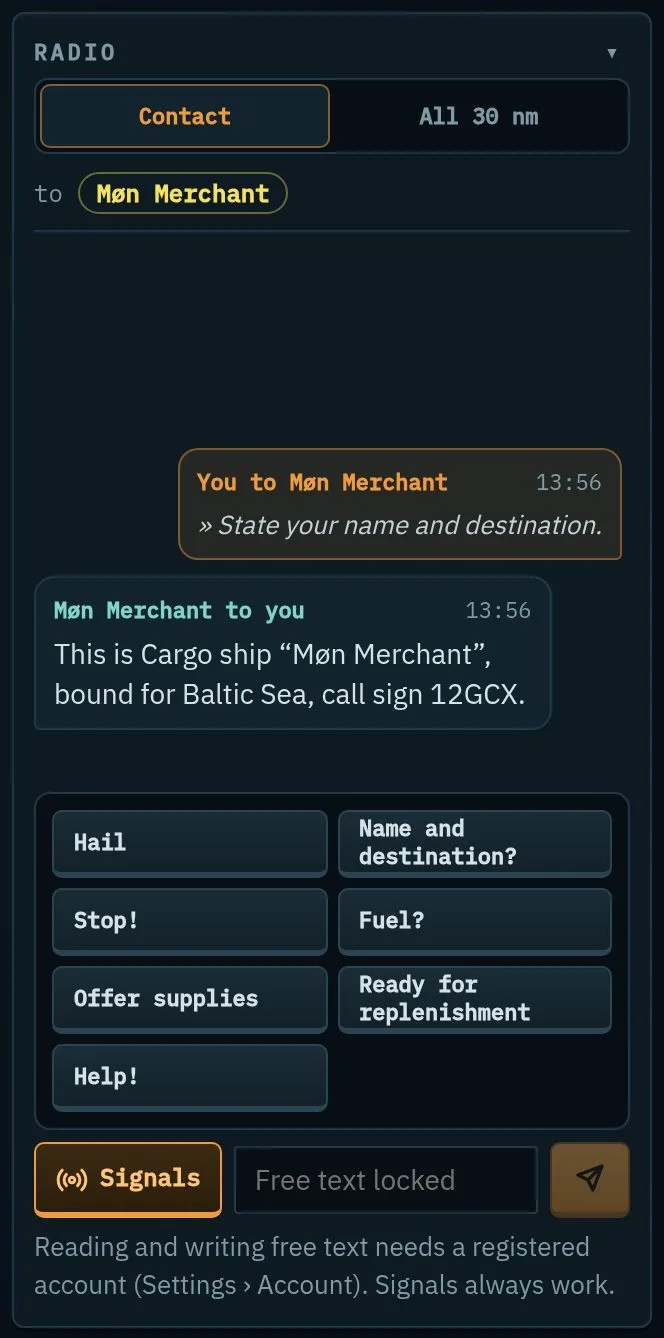
- Channel: “Contact” (the selected contact), “All 30 nm” or “Alliance”.
- Signals (button left of the input field): Hail, Name and destination?, Stop!, Fuel?, Offer supplies, Ready for replenishment, Help! – for every account.
- Free text: registered accounts only, after confirming the code of conduct once. A word filter and reporting protect everyone.
- Mute (speaker) and Report (flag) on every received message.
- Careful: whoever transmits can be located by bearing for 5 s.
13. Combat
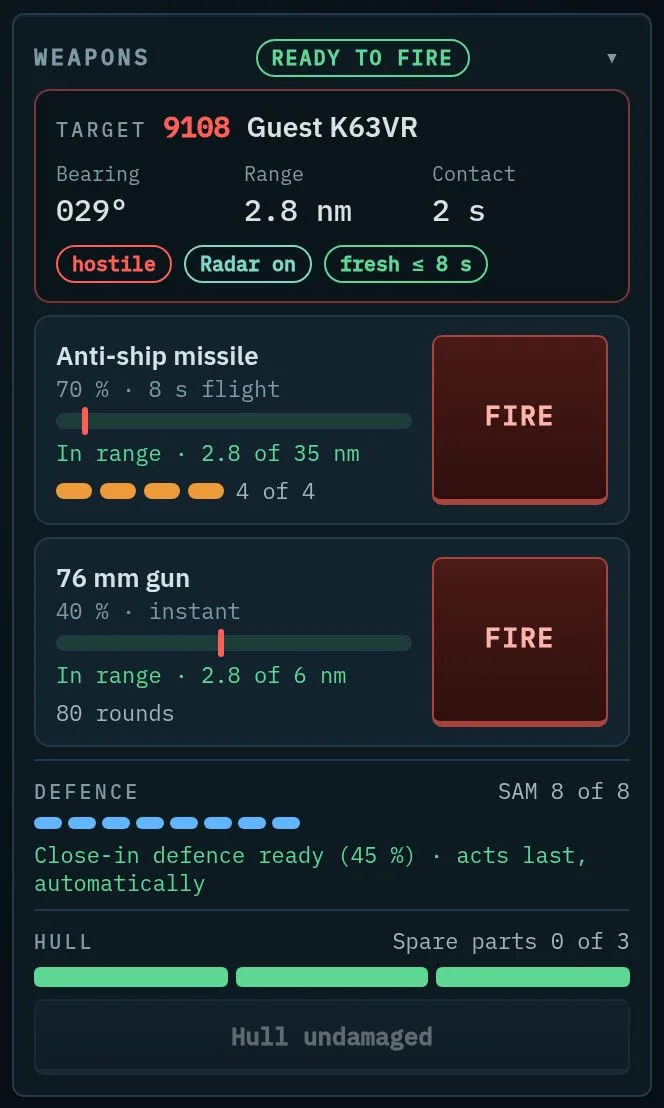
To fire you need:
- AIS off, RAS status off and not in a port zone,
- radar on and a freshly detected contact (at most 8 s old),
- the contact classified as hostile and not a member of your alliance,
- the target in range: anti-ship missile 35 nm (more with upgrades), gun 6 nm,
- ammunition aboard and fuel in the tank.
Whoever fires at a neutral AI ship (merchant, fishing boat) is a pirate for 30 minutes: position visible to everyone within 60 nm, no protection, no missions. Sinking a pirate pays double.
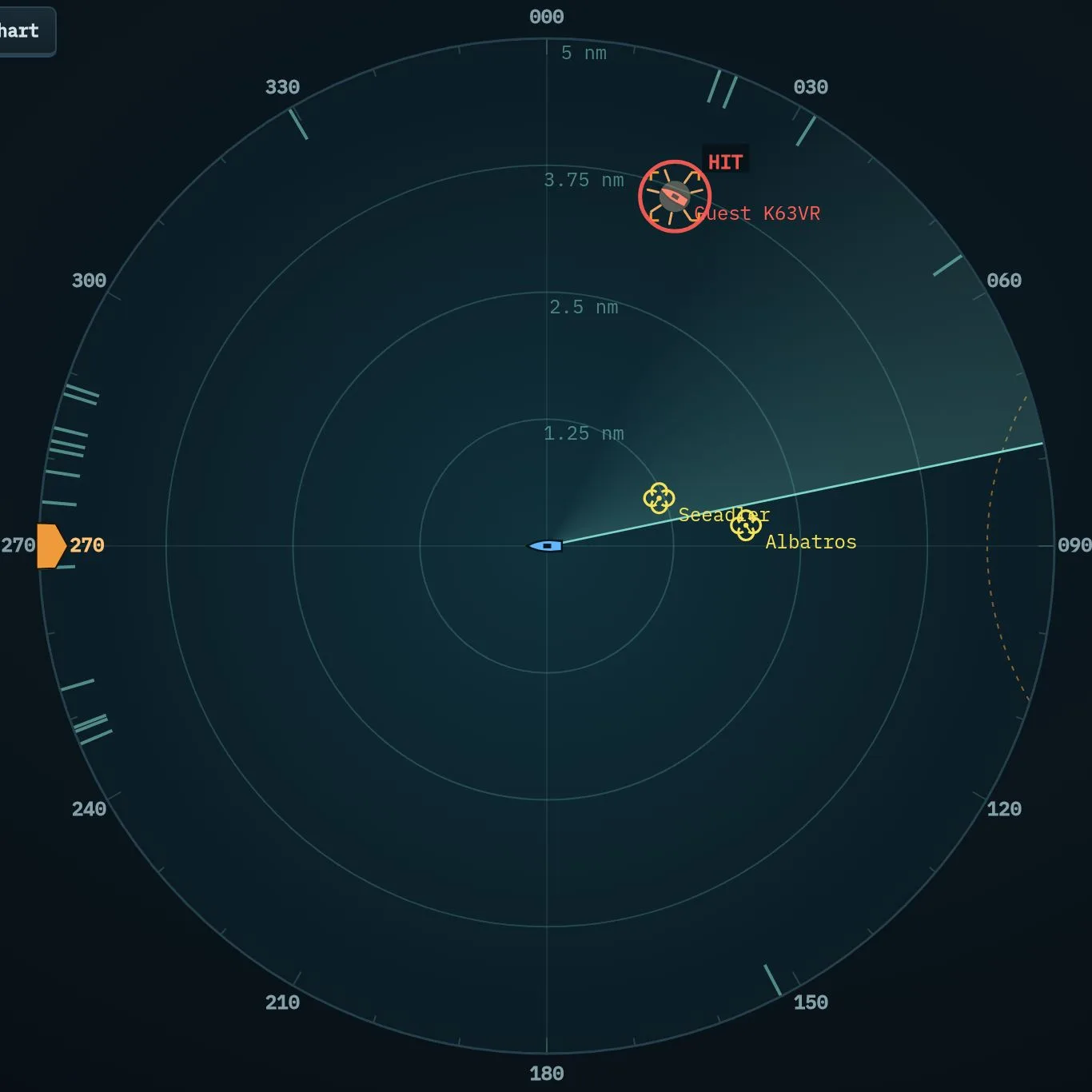
The killer tomato
Now and then an orange-red floating target appears somewhere at sea: the killer tomato. Radar picks it up only within 10 nm. On the scope it has its own tomato symbol; AIS does not show it. While one is afloat, a short red mark on the scope rim shows its rough direction (up to 60 nm), without range. It drifts slowly and bounces off the coast. The first to hit it with the gun earns 50 pay, 20 points and the “Tomato hunter” award. It need not be classified hostile, and missiles have no effect. After an hour it sinks by itself, and the next one appears within an hour.
14. Defence
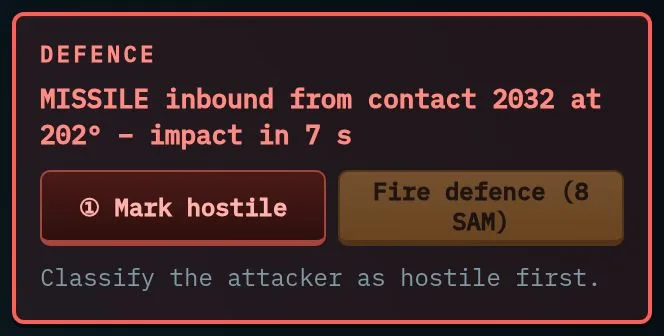
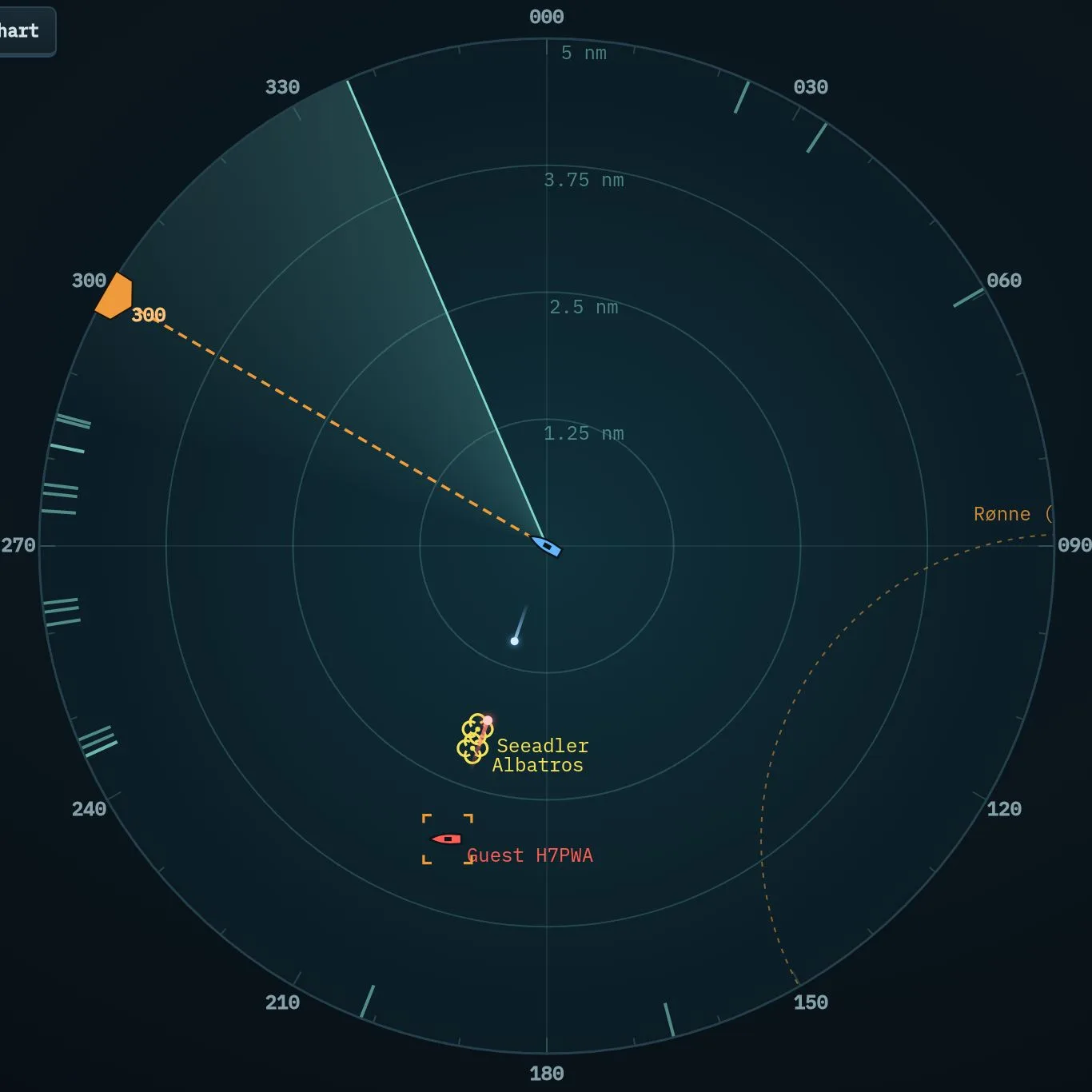
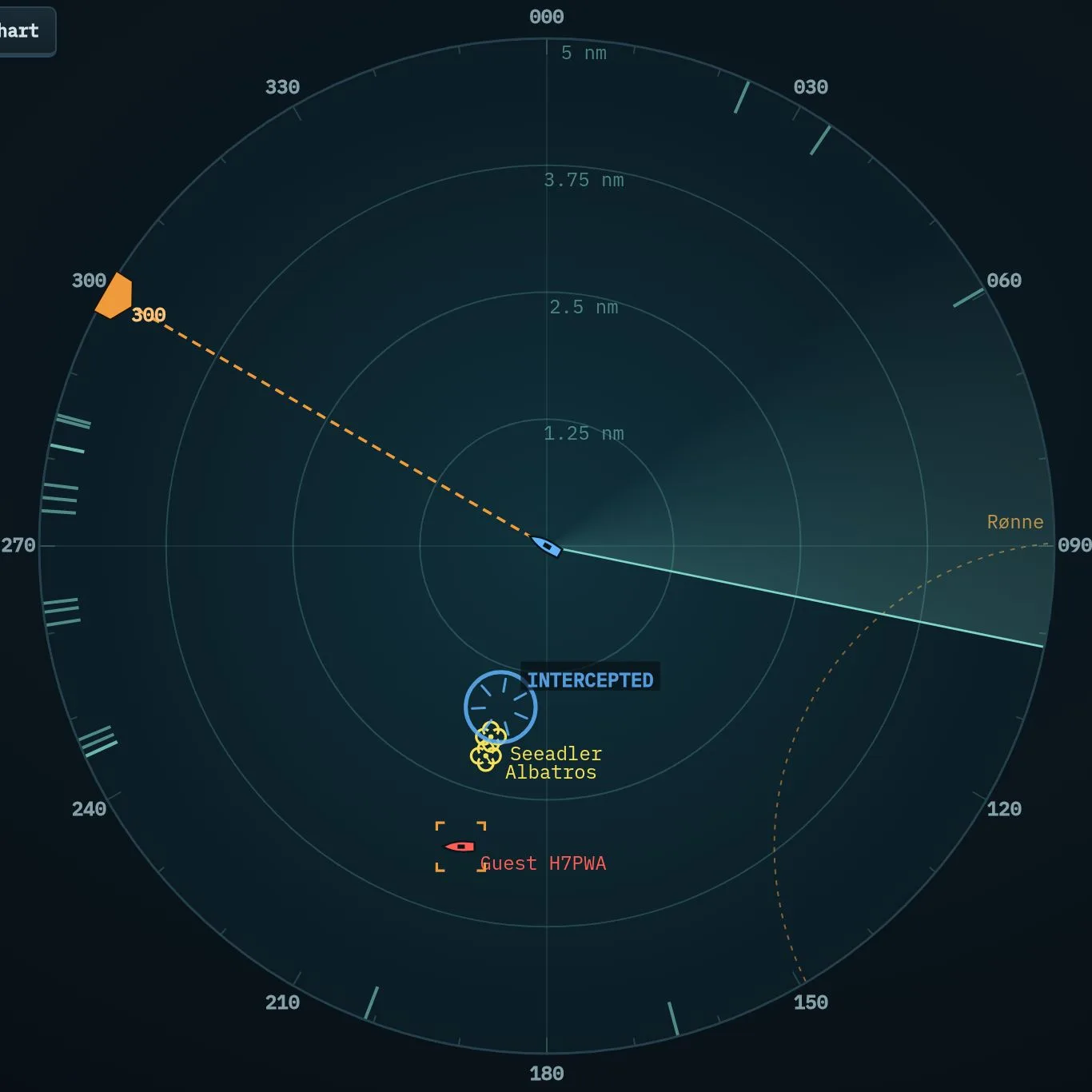
When a missile is fired at you, the weapons box turns red: the status line gives the direction and the countdown (8 s), and the defence key always sits in the same place. It shows “Hostile” first (classify the attacker), then “Defence”: a surface-to-air missile intercepts it with 75 % probability. With the box folded, the same key appears in its title line. If it misses, you can try again while time remains. Last of all, the close-in defence gets its chance – it acts automatically.
15. Damage, repairs, sunk
- Every hit costs one hull point (3 to begin with).
- Use a spare part (weapons box) repairs one point at sea in 60 s – at 10 kn or less.
- In port, supplies repair the hull for pay.
- Hull 0: sunk. After 60 s you continue in the port you visited last; running missions fail, and the repair costs part of your pay.
16. Replenishment at sea
Two players can give each other fuel, ammunition and spare parts at sea: both set the RAS status and sail side by side – at most 0.3 nm apart, 8–14 kn, courses within 10° and speeds within 2 kn of each other, no combat in the last 60 s. After 30 seconds the exchange window opens. The easiest way is “Follow” in the “Selected contact” box: your ship then goes alongside by itself. You see other ships’ RAS status via AIS.
While your RAS status is set you make at most 14 kn, turn more slowly and cannot fire.
17. Settings: career, ranking, alliance
Open the settings with the gear at the top left or with the box below the chart (on the start page and in port). Tabs: Career, Ranking, Violations, Alliance, Account, Statistics.
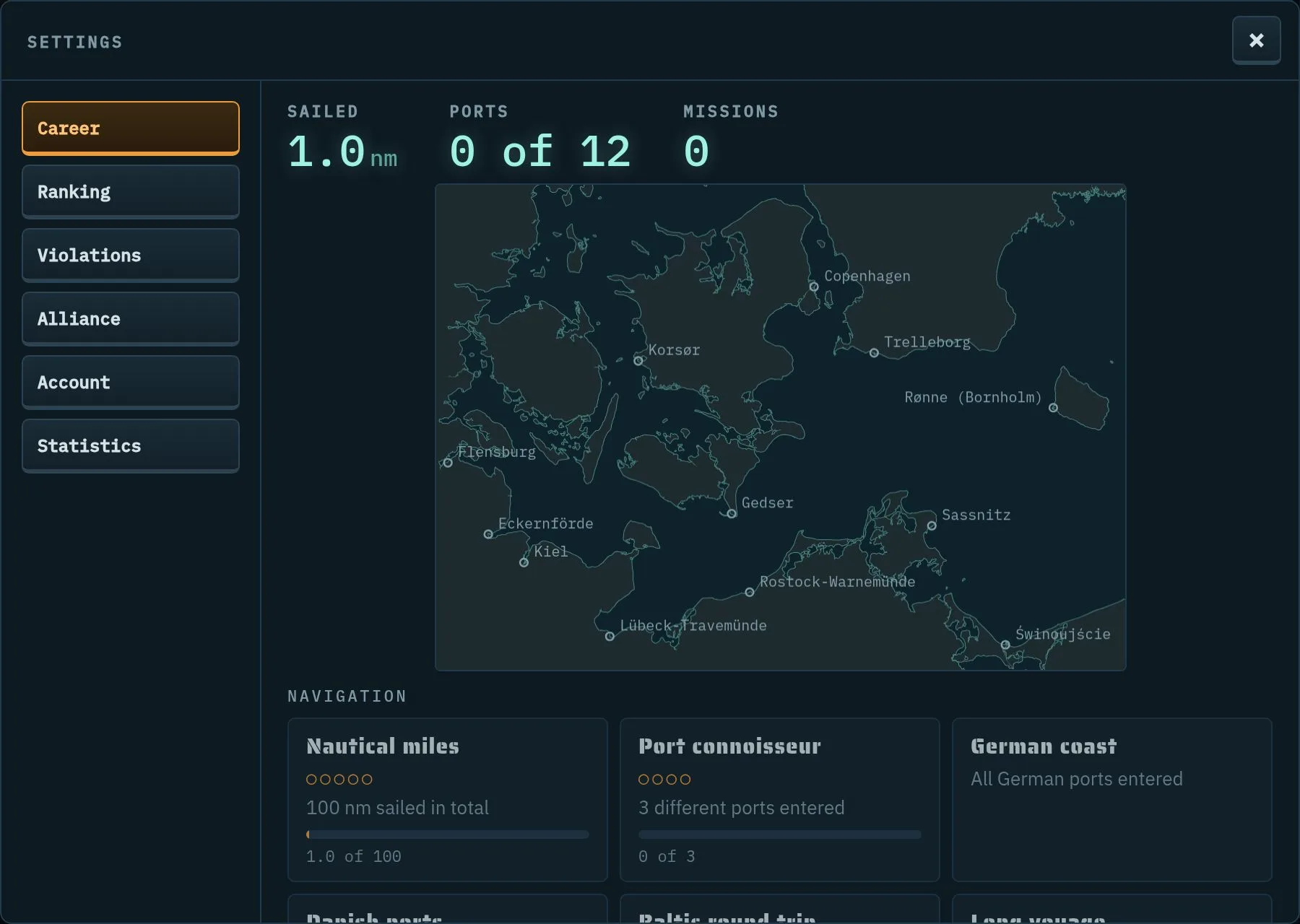
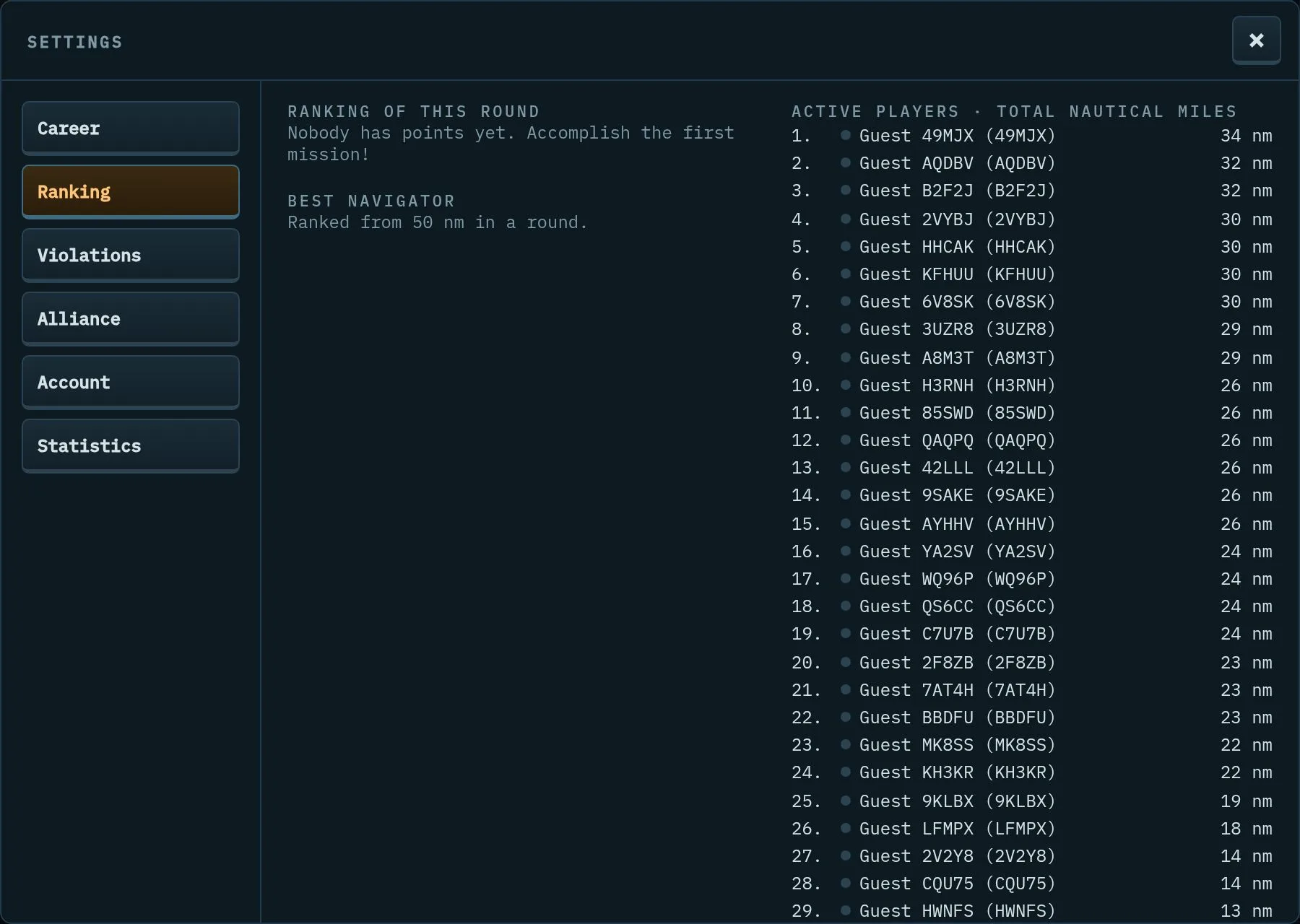
- Pay is your money for supplies and the shipyard; points count for the ranking of the round and for your rank – from seaman to commodore.
- Alliance: from the rank of commander (registered account) you can found one with “Found” and invite others by call sign with “Invite” (at most 12 members). Members are automatically friends, share their picture and classifications over a 60 nm data link, have their own radio channel and cannot fire at each other.
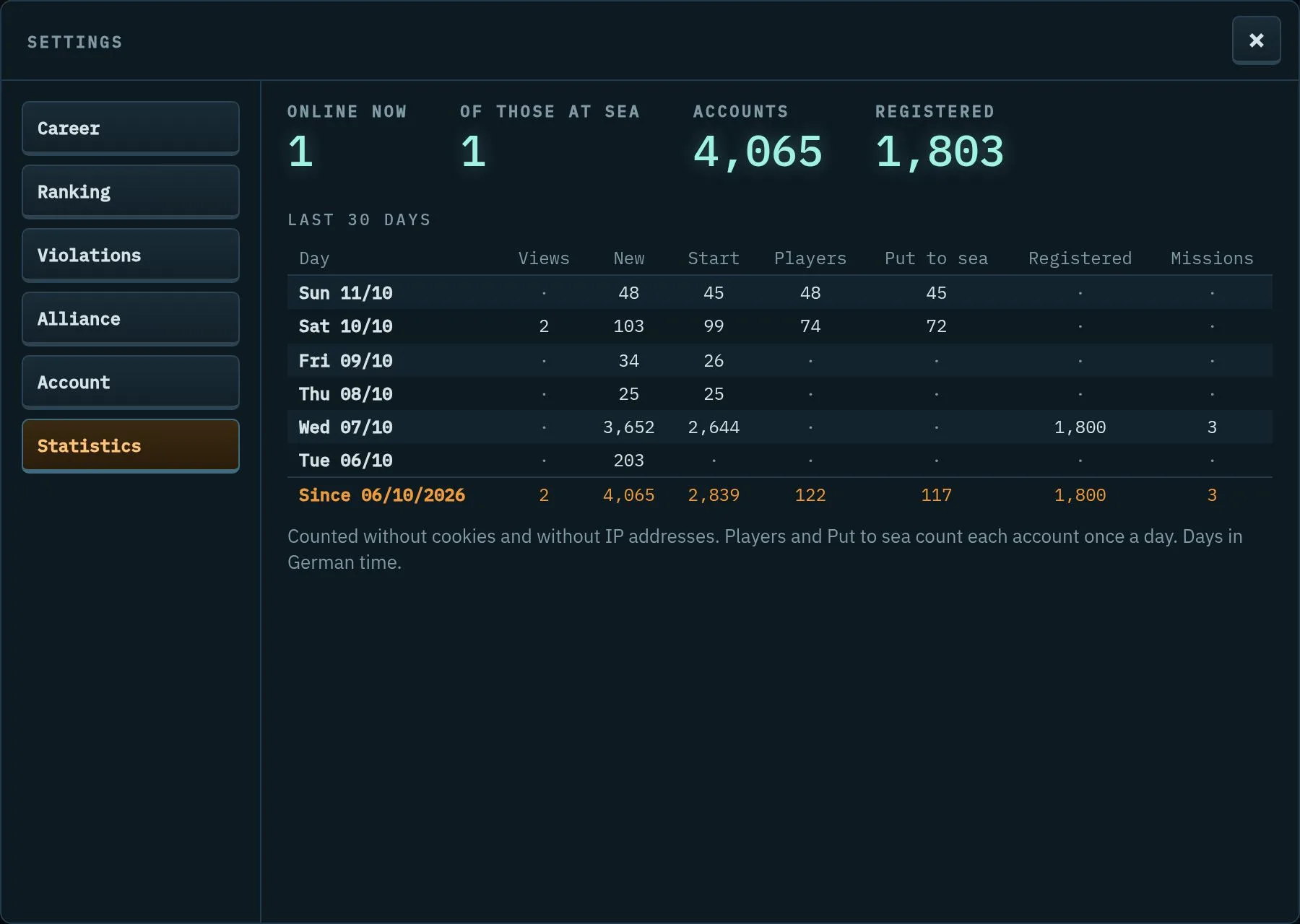
- Statistics: how many players are online and at sea right now, plus the figures of the last 30 days – counted without cookies and without IP addresses.
18. Best navigator
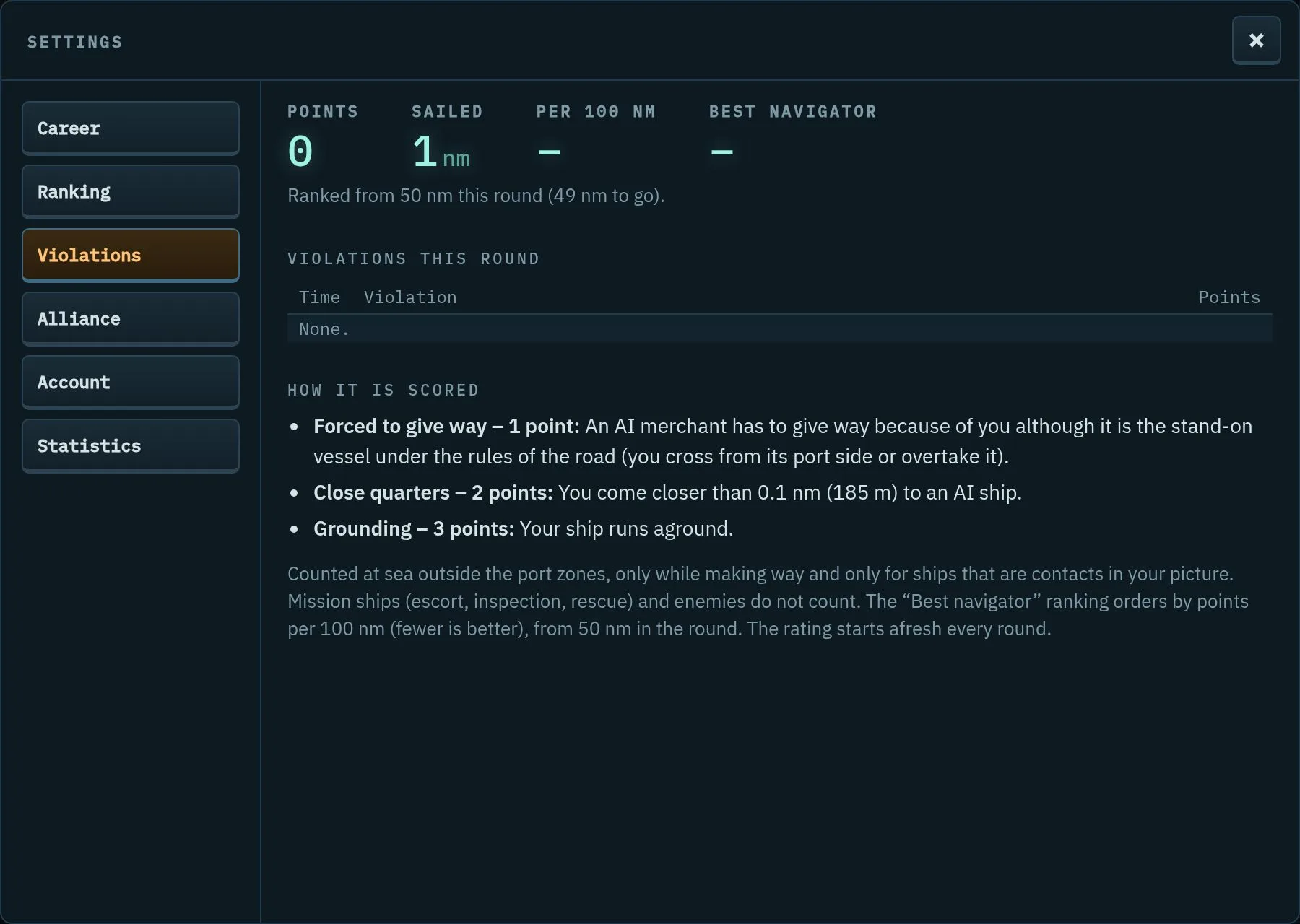
Good seamanship counts. Violations earn penalty points, and a sign appears on the radar:
- 1 point: a merchant ship has to give way to you although it is the stand-on vessel.
- 2 points: you come closer than 0.1 nm to an AI ship.
- 3 points: you run aground.
The “Best navigator” ranking orders by points per 100 nm sailed in the round – fewer is better. You enter the ranking from 50 nm.
19. The round
A round lasts one week: from Saturday 15:00 to the following Saturday 14:30 (German time). Then the results are announced, and the next round begins at 15:00. Position, pay, upgrades, round points and missions are reset. What stays: account, ship name, rank, career, awards and alliance.
20. View, language, account

- Zoom and full screen in the footer – like Ctrl + / − and F11.
- Language: German, English, Spanish with the flags at the top right.
- Account (settings): registration, change ship name and call sign, voice commands, download your data, sign out, delete account.